API Keys
The tools that call SDCStudio from outside the browser, SDCBench, the Obsidian SDC template, Form2SDCTemplate, SDC Agents, sdcmodeler and your own scripts, each hold an API key. Since version 4.7.0 a user holds any number of keys, one per tool, each with a name, and rotates or revokes each one on its own.
Where
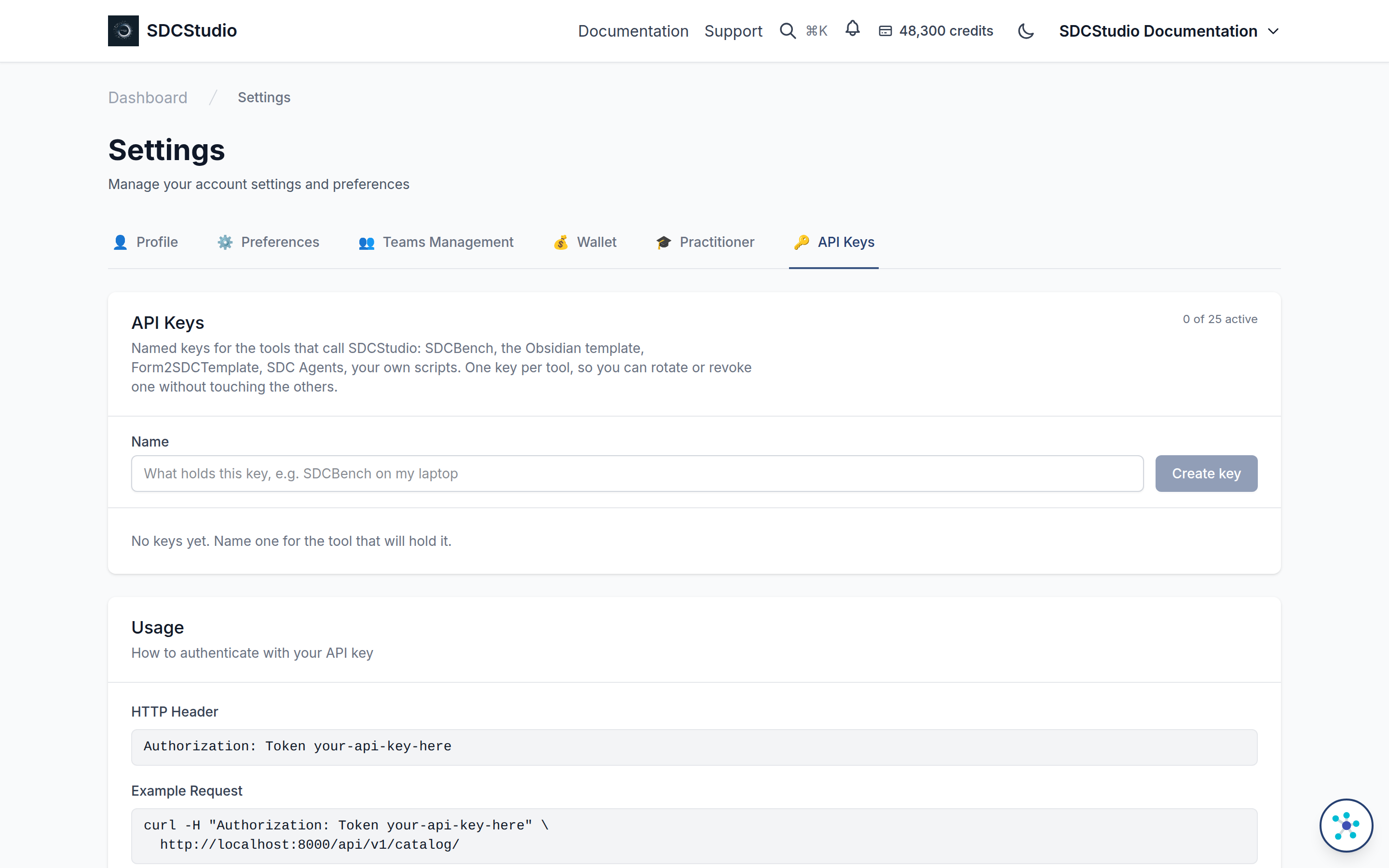
Settings, then the API Keys tab.
Create a key
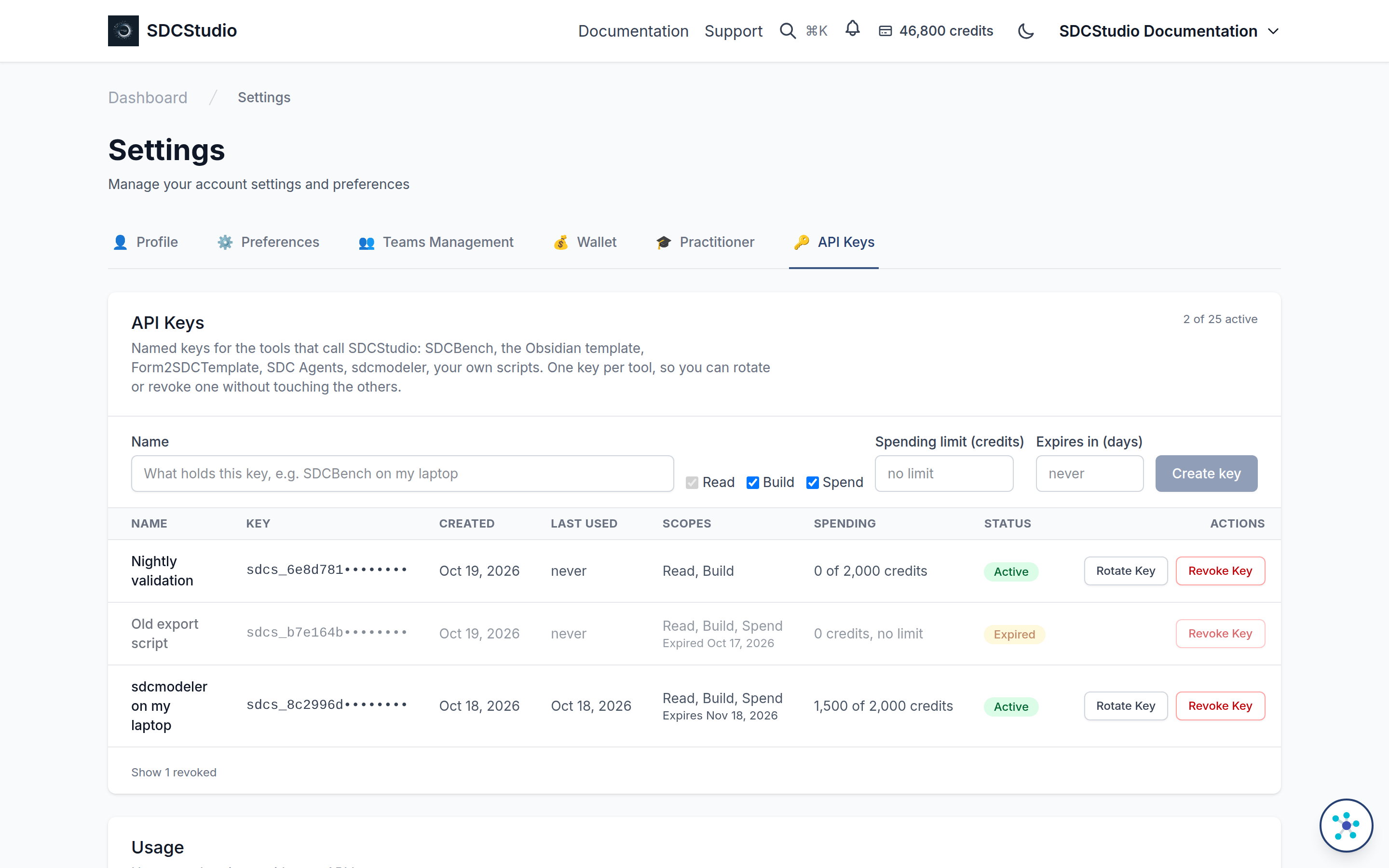
- Type a name that says what will hold the key: "SDCBench on my laptop", "nightly export script".
- Click Create key.
- Copy the key from the amber panel. It is shown once. If it is lost, rotate it.
A key reads sdcs_ followed by 48 characters. SDCStudio stores only a hash of it and its first twelve characters, so nobody, including an administrator, can read a key back.
What a key may do: scopes, a spending limit, an expiry
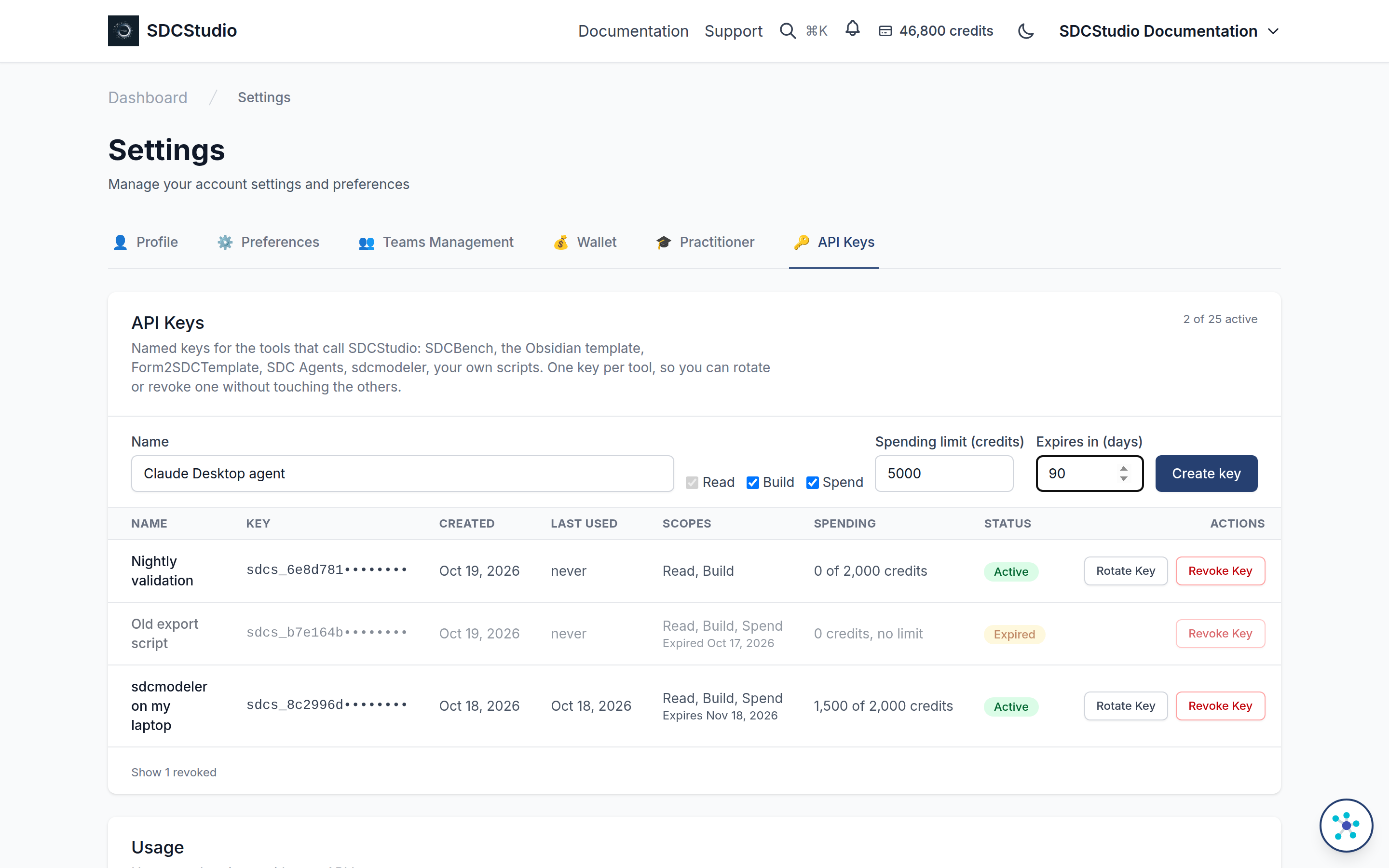
Since version 4.16.0 a key carries a policy, set when it is created and kept when it is rotated:
- Scopes. Read is every GET; every key has it. Build is every write that spends nothing: creating and editing drafts, publishing, managing projects. Spend is every charge to your wallet: minting a component, assembling a model, downloading an application, settling a record. A key without Spend can search, propose and estimate, and is refused with
403anderror_type: key_scopethe moment a call would cost credits, before anything is built. - Spending limit. The most the key may charge over its life, in credits. The key's row shows what it has spent against the limit. A call that would pass the limit is refused with
403anderror_type: key_spend_limit, even when the wallet could pay; the message carries the limit, what is spent and what the call needs. Raise the limit by creating a new key. Rotation, which only you can do signed in, keeps the limit and starts the count again. - Expiry. A number of days (1 to 3,660), after which the key stops authenticating. The Scopes column says when it expires. An expired key stays in the list with an Expired status and a Revoke Key button, so you can clear it; it cannot be rotated (create a new key instead).
A key handed to an autonomous agent should carry Build and a limit, and Spend only when the agent is meant to spend. Keys created before 4.16.0 carry every scope, no limit and no expiry, so nothing that holds one changes behavior.
What only you can do, signed in. Creating a key, rotating a key, generating the legacy single key, changing your profile (your email is the account's recovery address) and changing the wallet's auto-reload all need you signed in to SDCStudio. A request that carries a key, of any scope, is refused with 403 and error_type: session_required. So an agent cannot give itself a wider key, restart its own spending count by rotating, or reach the card on file. A key can still list keys and revoke one, its own included, since revoking only removes access. Since 4.17.4.
Rotate a key
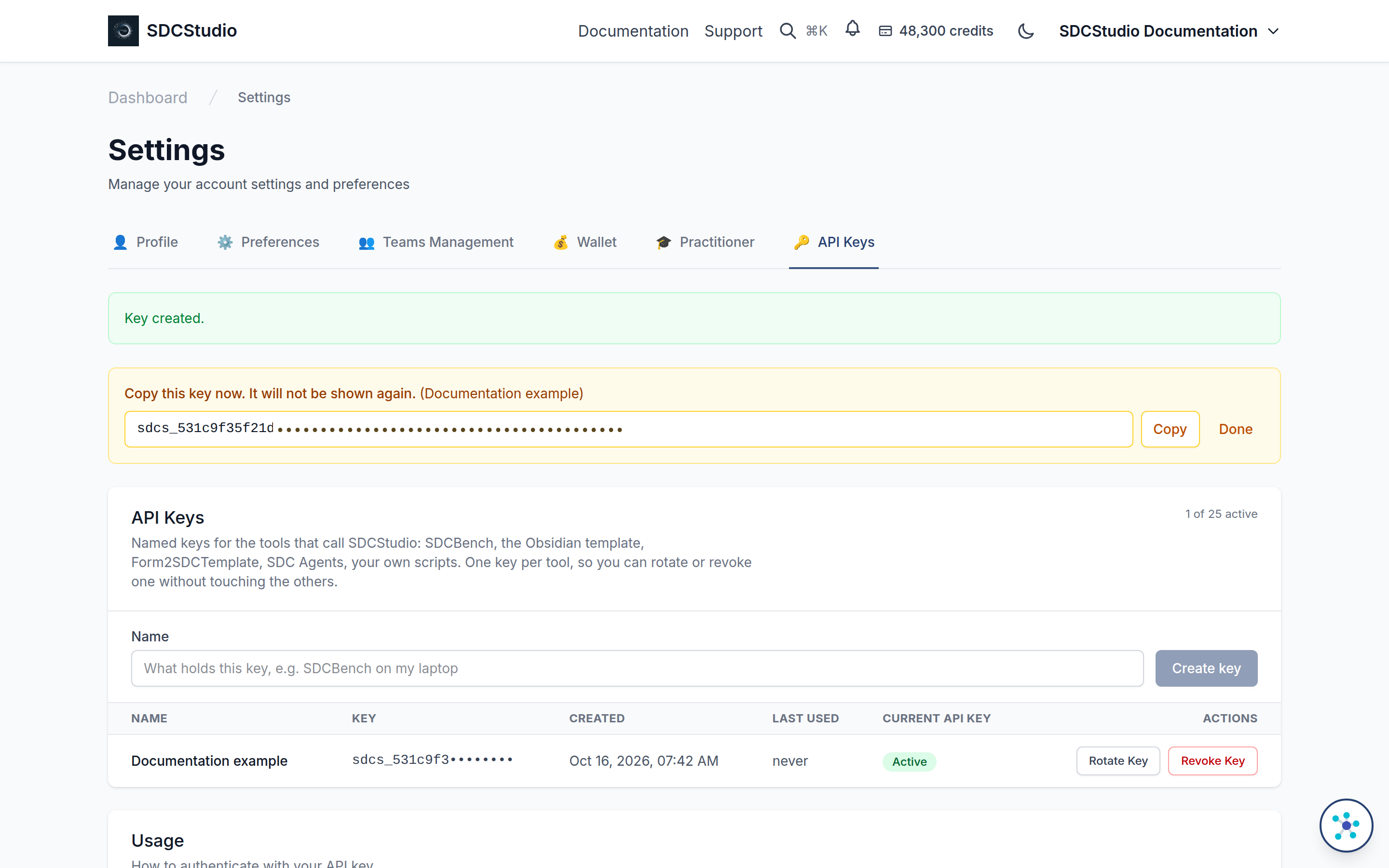
Rotate Key on a key's row revokes it at once and issues a new key under the same name. Paste the new key into the tool that held the old one. Rotate when a key may have been seen by someone it should not have been, or on whatever schedule your policy sets.
Revoke a key
Revoke Key stops the key for good. It stays in the list, marked revoked, so the record of what held it is kept. Revoke a key when the tool is retired or the machine that held it is gone.
Limits
At most 25 active keys per user. Names are unique among your active keys; a revoked or expired key's name can be used again, and neither counts toward the 25.
How a tool sends the key
Authorization: Token sdcs_...
curl -H "Authorization: Token sdcs_..." https://sdcstudio.axius-sdc.com/api/v1/catalog/
Keys from before 4.7.0
A key created before named keys existed keeps working until you sign out of the tool that holds it or replace it with a named key. It does not appear in the list. Create a named key for each tool and switch the tools over at your own pace.
For tool authors
The endpoints, all under /api/v1/auth/. Listing and revoking take a session or any active key; creating and rotating take a signed-in session only (since 4.17.4; a key gets 403 session_required):
| Method and path | Does |
|---|---|
GET api-tokens/ |
lists the user's keys, newest first, revoked included; never the key itself |
POST api-tokens/ with {"name": "...", "scopes": ["read", "build", "spend"], "spend_limit_credits": 5000, "expires_in_days": 30} |
creates a key; scopes, spend_limit_credits and expires_in_days are optional (every scope, no limit, no expiry); the response carries key once |
POST api-tokens/<id>/rotate/ |
revokes the key and issues a new one under the same name; the response carries the new key once |
POST api-tokens/<id>/revoke/ |
revokes the key |
An agent that builds models with its key follows the assembly reference or uses sdcmodeler (see The SDC MCP Servers).
Each listed key carries scopes, spend_limit_credits (or null), spent_credits, expires_at (or null) and expired. The two refusals a policy produces are 403 bodies with error_type key_scope (with the scope the call needed and the key's scopes) or key_spend_limit (with spend_limit_credits, spent_credits and estimated_cost_credits).