Interface Languages
The SDCStudio application is available in four languages: English, Español, Português Brasileiro and Français. The language applies to the application's own text: menus, page headings, buttons, form labels and messages. It does not change the content of any model, and it does not change the parts of the service that are served outside the application, described below.
Choosing your language
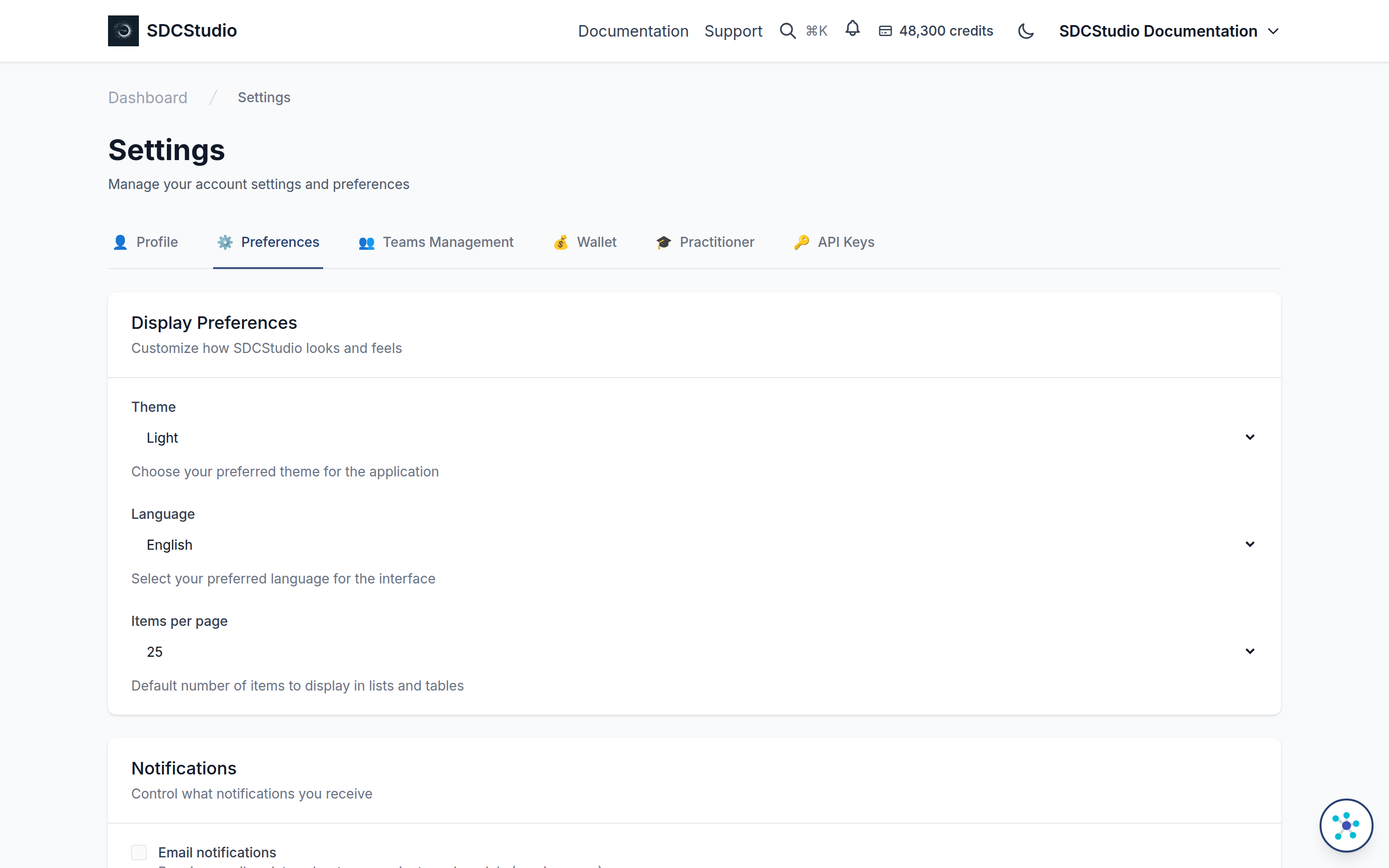
Open Settings, then the Preferences tab. Under Display Preferences, the Language drop-down lists English, Español, Português Brasileiro and Français, with the help text "Select your preferred language for the interface". Choosing one switches the interface at once and saves the choice to your account, with a confirmation message. If saving fails, the message says the language could not be updated; the interface stays switched until you reload, and the account keeps its previous choice.
The choice travels with the account. Signing in on another browser or device applies the language stored on your account.
How the language is picked when you have not chosen
Before you sign in, the application uses the language it last used in this browser, and failing that the browser's own language setting; anything outside the four falls back to English. An account created with the sign-up form starts in the language the page was showing when you signed up.
The server stores your choice so that the application can apply it on every sign-in; it uses the choice for nothing else.
What is translated
The React application is the only translated surface. Everything else is in English:
- the account emails (confirmation, password reset, team invitations, payment confirmations)
- the server-rendered pages: the sign-in redirect, password reset, email confirmation and the support form
- the administration site
- the public catalog and the documentation, including this guide
Translation coverage is being completed by the people who use those languages. If a page shows English where you expected your language, please report it to contact@axius-sdc.com with the page and the language.
The language of a model is not the language of the interface
Every component and model carries its own language field: lang on a component and language on a data model, chosen when the item is created. That field records the language the model's labels and definitions are written in, so that a Governed Data Record made from it declares its language correctly; it has nothing to do with the interface language of the person viewing it. A component written in Português Brasileiro shows its Portuguese labels whatever your interface language, and a component written in English stays English for a user whose interface is French. See the data types reference for the fields.