Copy and Retire: Changing What Is Published
Overview
A published component, cluster or data model never changes. Every Governed Data Record made from it validates against that published definition, and the record stays valid for as long as it exists, which is the point of publishing (see the glossary). So SDCStudio has no "edit a published component" action, and the API enforces the same rule (since 4.15.26): PUT or PATCH on a published component or model answers 409 with published_is_immutable, and published cannot be set directly; publishing is the publish action only. When something published needs to change, you make a new component derived from the old one, publish the new one, and retire the old one so that nobody chooses it again. Two controls do this: Copy and Retire. Both are free; neither touches a credit balance (see Wallet and Billing).
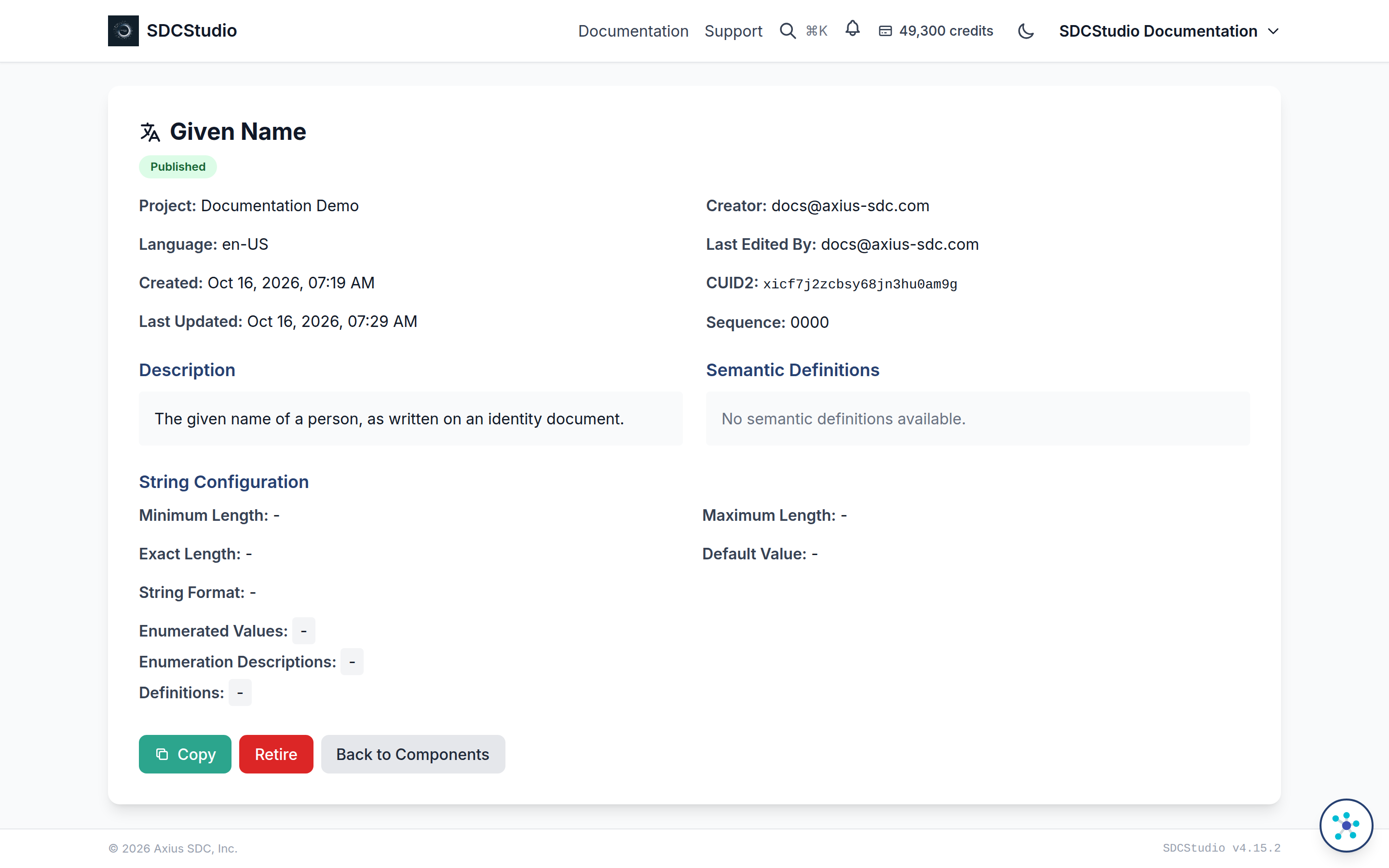
The same two controls appear in the action bar of every component, cluster and data model detail page.
Copy
Copy is shown on a detail page when the item is published and not retired. Anyone who can view a published item can copy it, including items in the public library and in projects you only have read access to; the copy goes into a project of yours, and the original is untouched.
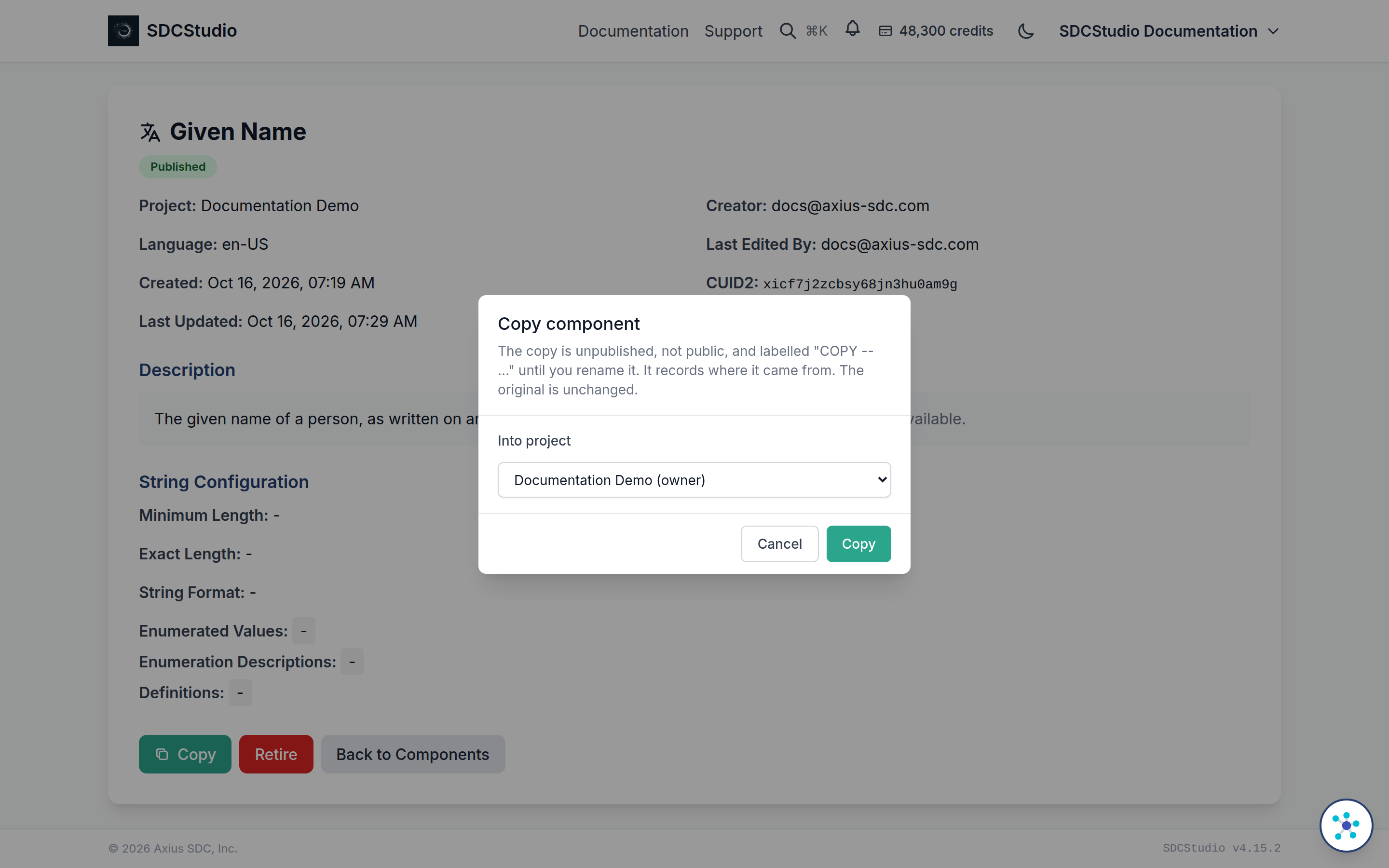
The dialog is titled Copy component or Copy data model. Its one control, Into project, lists the projects you own or belong to, each with your role, and starts on the source's project when you can build there. If you have no project yet, the dialog says so and links to the Projects page. Copy creates the copy and opens its detail page.
What the copy is:
- A new item with its own identifier. The label (or a model's title) is the original's with
COPY --in front. - Unpublished and not public. You decide later whether to share it.
- Stripped of the original's generated schema; it is regenerated when the copy is published.
- Owned by you, as creator and editor, in the project you chose.
- Carrying the original's semantic links, plus one the system adds: a
prov:wasDerivedFromstatement naming the original. That link is not offered in the semantic link picker, but it is written into the copy when the copy is published, so the lineage travels with it. A copy of a copy names its own parent only, not the grandparent.
A cluster copy keeps the same member components as the original; the members are referenced, not copied. When you copy a cluster into a different project, every member must be reachable from there: published and public, or already in the target project. If any is not, the copy is refused and the message names the members. A copy within the same project checks only that no member is retired.
A data model copy keeps the original's data cluster, subject, provider, protocol, workflow, access control service, attestation, participations, audits, links, author and contributors, and gets a new Instance ID. Its Source Instance ID and Source Version ID are cleared, and the generated files are not carried over. The cluster it points to is checked the same way as a cluster copy.
Rename before publishing
A copy cannot be published while its label or title still starts with COPY --. The Publish action refuses with Cannot publish component with "COPY -- " prefix. Please rename the component first. (or the same message for a data model). Open the copy with Edit, give it its real name, make the change you copied it for, and publish. Editing and publishing are free.
Retire
Retire is shown on a published, unretired item to the people who may publish in its project: the project owner, team admins and staff. It is the end of the item's life as a choice, not as a definition.
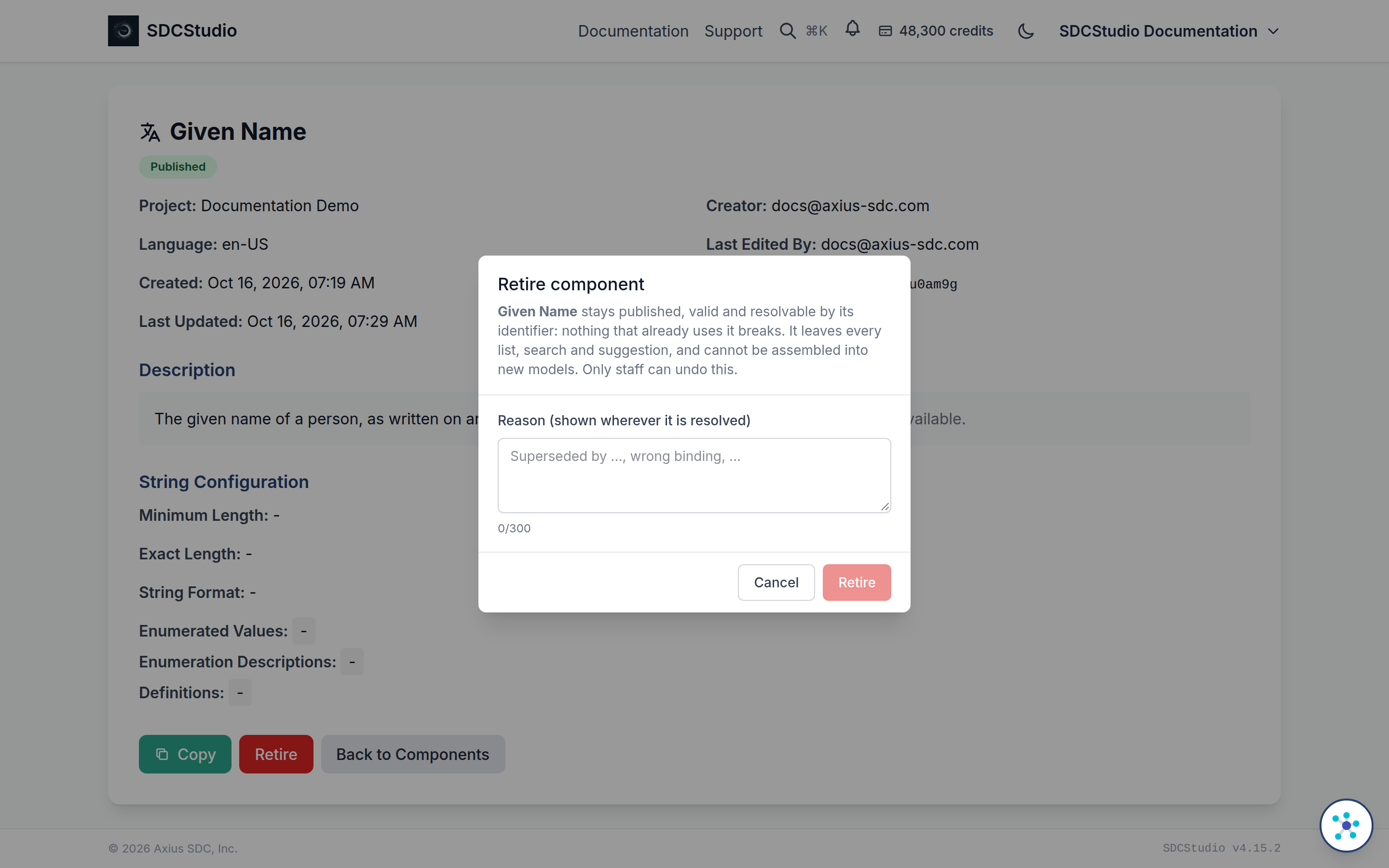
The dialog is titled Retire component or Retire data model, and it says what retiring means: the item stays published, valid and resolvable by its identifier, so nothing that already uses it breaks; it leaves every list, search and suggestion; it cannot be assembled into new models; and only staff can undo it. The one field, Reason (shown wherever it is resolved), is required and takes up to 300 characters. Name what to use instead, for example Superseded by <label>. Retire confirms.
After retiring:
- The detail page shows a Retired banner with the date and the reason, and the note that the item is still valid and resolvable by identifier but no longer listed, suggested or assembled into new models. When a later component declares that it is a revision of this one, the banner links to it as the successor.
- The item stays published. Every Governed Data Record ever made from it is still valid against it, and the identifier still resolves.
- It no longer appears in the component and cluster pickers, in search or in suggestions, so it cannot be put into a new cluster or model.
- It cannot be copied, even by its owner; the copy is refused and the message repeats the retirement reason. A cluster with a retired member cannot be copied either, nor a model whose data cluster is retired.
- Copy and Retire disappear from its action bar.
Only a published item can be retired. For an unpublished one, delete it or edit it instead. Unretiring is a staff action in the administration site; if an item was retired by mistake, ask support.
The change workflow
- Open the published item and click Copy. Choose the project and confirm.
- On the copy, click Edit, replace the
COPY --title, make the change, save. - Publish the copy. For a cluster, every member must already be published; for a model, its data cluster must be. See Generating Outputs.
- Return to the original and click Retire, naming the replacement in the reason.
The old definition remains published. Records already made from it keep validating. New work picks up the replacement because the old one no longer appears in any list.
Who can do what
| Action | Who | Condition |
|---|---|---|
| Copy | Anyone who can view the item | Published, not retired; target is a project you own or belong to |
| Retire | Project owner, team admins, staff | Published, not retired; reason required |
| Unretire | Staff | Administration site only |
Copying, retiring, editing and publishing are free. The only charges in modeling are 100 credits for a new component or cluster and 500 credits for a new model, both at creation; a copy is not a creation in that sense and costs nothing. Component and cluster editing is covered in Data Modeling.